
LMI Set Dressing
A daily-driver suite for production set dressing in Houdini.


Current version 1.0.2
These tools require LMI Cache to function. Download LMI IO for Free.
Description
Build worlds fast, keep them honest. Scatter, place, cull by what the camera can truly see, and lock scale with a human reference. A daily-driver suite for production set dressing in Houdini.
Features

LMI Scatter Tool
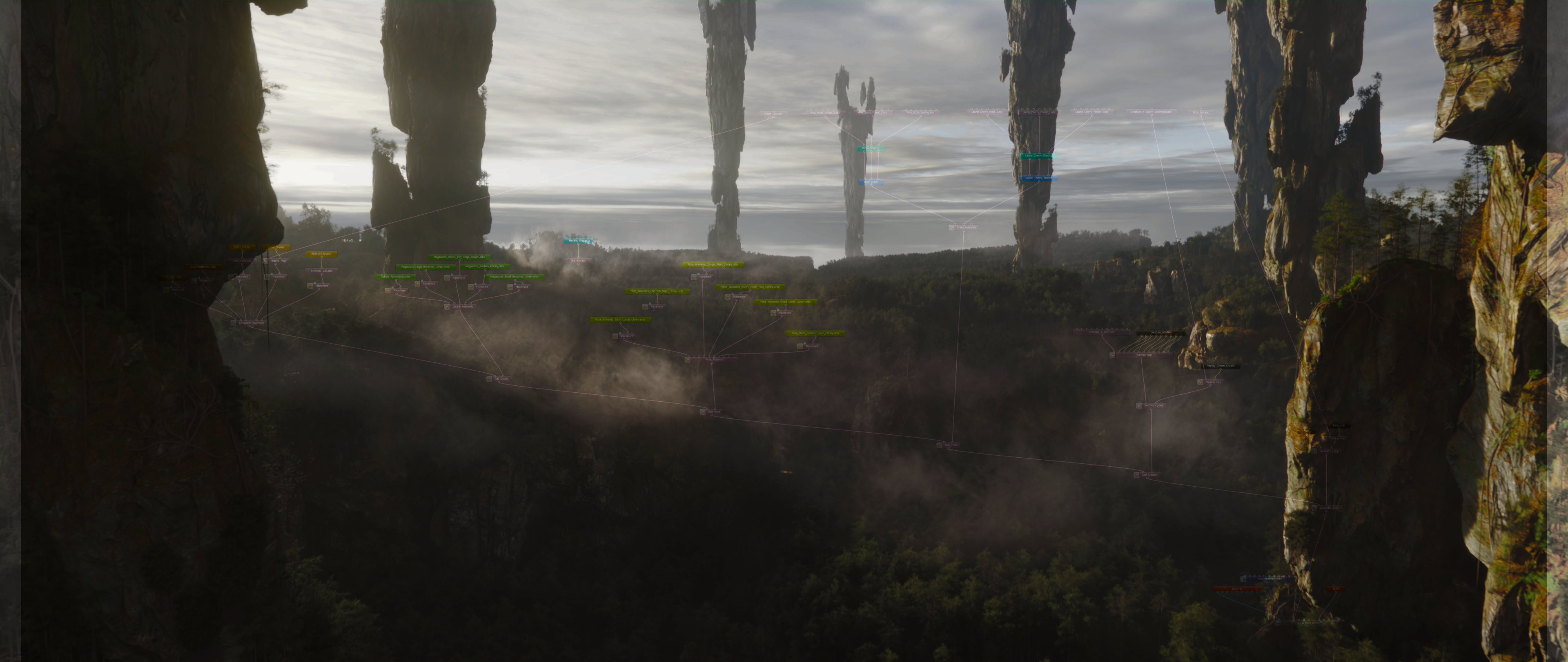
After everything we were able to do in Clarisse iFX, I missed having a scatterer in Houdini that felt equally fast, direct, and art-directable. Scatter SOP and Scatter & Align are fine for simple cases, but they don’t scale to the kind of control you need when you’re building real biomes, managing variants, blending orientation rules, and keeping distributions believable around real assets.
It’s designed to solve the hard problems under the hood: intricate orientation blending, slope logic, proximity rules, deterministic variant management, and heavy-scene usability. You can build organic-looking distributions quickly, and the tool can make the scatter aware of the world around it, not just “random points on a surface.” Scatters can avoid rocks, prefer growing around rocks at a specific distance, or daisy-chain together so multiple layers stay coherent and don’t fight each other.
A big part of the tool is pipeline integration. It was originally built to solve my Solaris setup pain for efficient rendering with Octane in Solaris, so it can generate a technically accurate USD instancing handoff in one click, including collections and instancer wiring, without spending half your day rebuilding LOP networks. And when you want full GPU Assembly power, it outputs a clean, attribute-complete point cloud that drops straight into LMI PointBaker. One click and your scatter becomes a Standalone-ready assembly.
Any possible scattering scenario - covered. In last update we also introduced support for animated scatter source
Recent updates also introduced Guides Mode, where the tool can operate on splines instead of full geometry assets. This makes things like animatable grass and ground cover effortless when you don’t actually want to scatter heavy geometry.
Guide Mode is helpful when you need to cover big area in a dense animatable cover
Highlights
- Art-directable biome scattering with world-aware distribution rules (avoid / attract / distance bands)
- Daisy-chainable scatter layers that stay aware of each otherHandles complex orientation/variant math internally (clean results, less setup)
- Proxy + caching workflows for heavy scenes
- One-click Solaris instancing handoff (USD-ready)
- Pipeline output: clean point cloud tailored for LMI PointBaker → Octane Standalone
- Guides Mode for spline-driven ground cover / grass workflows and further vellum animations

LMI Layout Tool
LMI Layout Tool exists for one reason: layout speed.
Clarisse iFX set-dressing is still the gold standard for rapid placement; spawn an asset, snap it to a surface, drop the next one, keep going… and build believable sets at a pace that feels unfair. Houdini, out of the box, doesn’t give you that experience. You end up doing the nonsense: import asset, add a transform, adjust, merge, repeat, and that simply doesn’t scale for real set dressing.
LMI Layout Tool brings Clarisse-style placement into Houdini: fast asset spawning, surface snapping, clean stacking, and instant iteration. It lets you keep context visible (underlying geometry, previous layout passes), so new placements naturally respect what’s already there. You can reuse and extend earlier “stacks” of dressing, placing new assets on top with the same snap-to-surface speed, without rebuilding networks or losing precision.
Under the hood it handles the tedious technicalities automatically: instance transform management, projection to target surfaces, variation controls (random scale/orientation), and clean outputs for both SOP workflows and USD/Solaris instancing. The result is exactly what layout work needs: speed, control, and zero friction.
This tool is a must for anyone doing layout-heavy work in Houdini.
⇧ + W (Add), ⇧ + X (Duplicate), ⇧ + A (Snap), ⇧ + S (Select Previous), ⇧ + D (Select Next)
Highlights
- Clarisse-style set dressing speed inside Houdini
- Rapid spawn → snap → place workflow (built for repetition)
- Stack-aware dressing: build on top of previous layout passes without losing context
- Built-in variation: optional random scale + random orientation
- Context toggles: show underlying geometry + previous dresser state for alignment
- Clean outputs + Solaris/Octane Standalone instancing handoff (pointcloud or direct geometry)

LMI Camera Frustum
There are plenty of frustum tools out there, but none of them gave me the full features combination I needed in one place.
LMI Camera Frustum is a camera-driven visibility tool for Houdini that goes far beyond basic “inside the cone” masking. It can generate everything from a simple frustum coverage mask to true direct eyesight masking. Meaning: if the camera can’t see behind a hill, that region doesn’t make it through. No guesswork, no “maybe visible” approximation.
This becomes an epic optimisation step when you need it. No matter how powerful your pipeline is, it’s never smart to throw the entire world into a shot if the camera only ever sees a fraction of it. You don’t need millions of grass blades, heavy instancing, or dense detail sitting behind occlusion for the entire take. This tool makes it easy to isolate what actually matters.
It also supports animated cameras properly. Instead of evaluating a single frame (or some averaged frustum), it can sample across the timeline and build a mask that represents what the camera sees through its full motion, so your extraction stays stable, accurate, and production-usable.
To make the result practical, the tool includes cleanup and refinement controls (smoothing, dilate/erode, blur, distance fade) so the mask isn’t a brittle binary cut, but something you can art-direct and safely drive downstream set dressing, scattering, and extraction workflows.
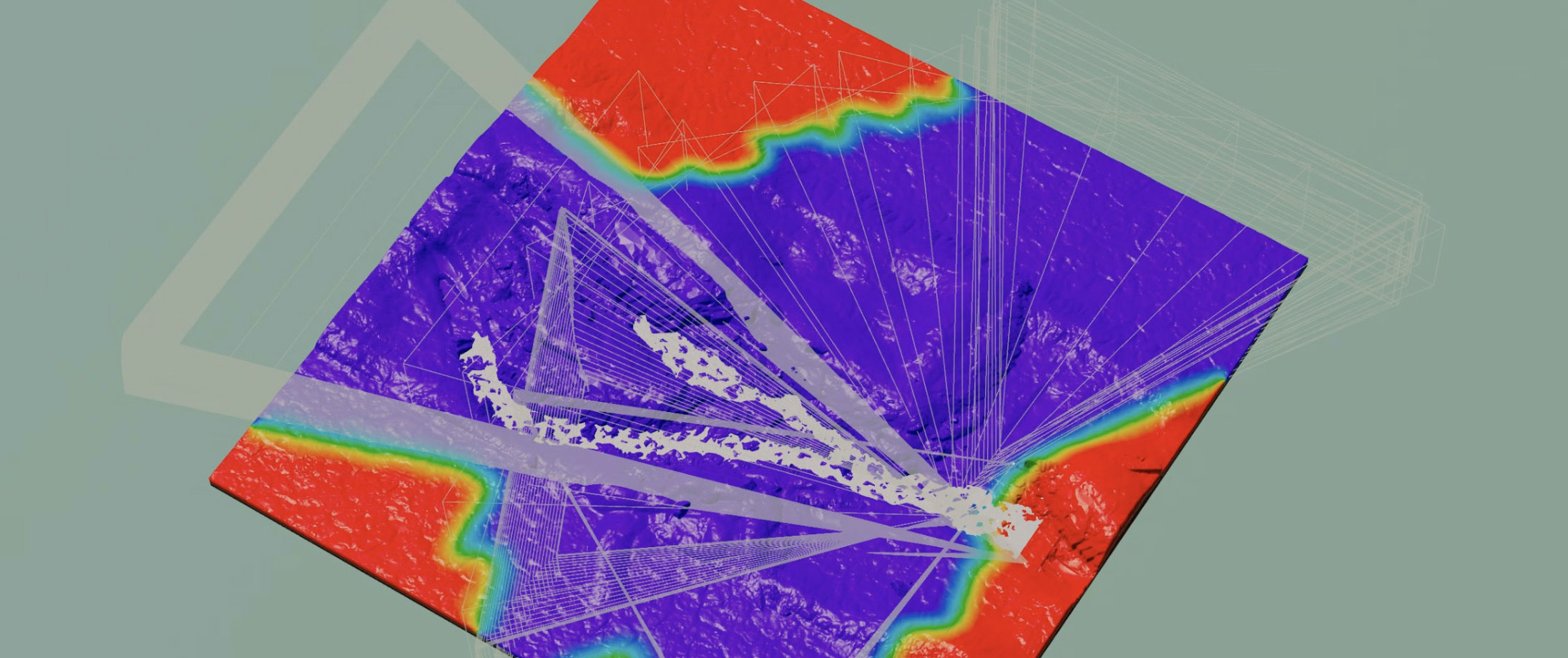
Scatter only where it matters

LMI Mannequin
LMI Mannequin is a simple but essential tool: a scale and perception reference you can drop into any layout to instantly sanity-check proportions.
Put it next to a tree, a doorway, a cliff face, a vehicle and you immediately know if the world “reads” right. Not in numbers, but in human perception, which is what actually matters when you’re building believable digital environments.
In handle mode, click anywhere in the viewport and Mannequin will snap to that position
Our mannequin is special to us. It’s my friend Andrei Ostrikov, scanned on our trip to LA in 2025 in a Lightstage at OTOY office. Andrei is a professional ex-rugby player and 2 meters tall, which makes this mannequin a perfect, honest reference for scale across every project. It’s become the constant “human anchor” in our worlds, a quick check that saves you from weeks of compounding scale mistakes.
Subscribe to Andrei here.
Video tutorial/overview of the tools in action: here
Licensing
Tools are provided under a worldwide, non-exclusive license for use in any production context. You may install and use the toolset for any lawful purpose, including commercial work, client deliveries, internal studio pipelines, and distributed production environments.
All software is provided “as is”, without warranty of any kind, to the maximum extent permitted by applicable law.
Digital purchases are final and non-refundable, except where a refund is required by applicable consumer protection law.