
LMI Automation:
Drone
Capture splats the right way: Plan. Deploy. Repeat.
LMI Mission Planner is the first full 3D elevation mission control inside Houdini, built to make drone capture for Gaussian Splats fast, repeatable, and consistent across seasons.

Current version 1.0.2

This tool requires LMI Cache and LMI Camera to function. Download LMI IO and LMI Cameras for Free.
Description
LMI Mission Planner is a Houdini-based flight planning tool for aerial capture in full 3D terrain context, built specifically for Gaussian Splat scanning.
I made it because I wanted to scan real trees properly to use within our Octane Assembly Pipeline, and manual drone flying just didn’t cut it: jittery shots, slow capture, weak SfM, and splats that fell apart. So I built an autopiloted workflow instead. When the drone flies a clean planned path, I can fly faster, capture more consistently, and reduce the impact of moving branches, meaning the trainer gets better data and the final splat holds up.
And the big reason this tool had to exist: every consumer/prosumer mission planner is basically a flat 2D map. Top-down is fine for “fly from A to B,” but it’s useless for scanning trees. You can’t plan a flight around a tree if you don’t know its true height, terrain slope, or the real volume the branches occupy. So Mission Designer plans against real elevation, not a flat map.
To do that, we pull government-issued open LiDAR datasets and reconstruct the terrain directly inside Houdini. Effortless terrain reconstruction and visualization, so planning missions stays fast, responsive, and honestly… fun.
The best part: missions are stored per location, so I can come back in autumn, winter, spring, or summer and fly the exact same trajectory, capturing the same trees with repeatable geometry. It’s crazy. And the splats are finally turning out genuinely solid.
Multi-Season 3DGS acquired with LMI Mission Planner. Processed with LMI Splats.
Features
Built to make aerial capture planning repeatable and production-reliable. It combines open LiDAR ingestion, high-performance terrain reconstruction, and mission validation tools directly inside Houdini, so you can design, test, and export missions with confidence before you ever take off.
Global Data Coverage
Supported countries: United States, Canada, United Kingdom, France, Germany, Belgium, Switzerland, Portugal, Finland, and New Zealand - each with built-in region profiles and direct references to the relevant open-data portals.
If your country isn’t listed, it usually means we couldn’t confirm a reliable source of government-issued LiDAR for it. Support must be added explicitly in codeotherwise the tool isn’t guaranteed to work correctly.
High-Performance Terrain Reconstruction
Accelerated LiDAR reconstruction designed for large public datasets, process dense pointclouds with ease.
Macbook M3 timed test: 15 seconds for 40+million points dataset.
Practical performance for real planning work - responsive enough to iterate, adjust, and re-run without waiting on slow preprocessing. True elevation context in Houdini: Terrain is reconstructed directly in-scene and enriched with clear mission anchors (POI & Homepoint) so spatial decisions are obvious before flight. Houdini units are automatically converted into real world coordinates based on your region.
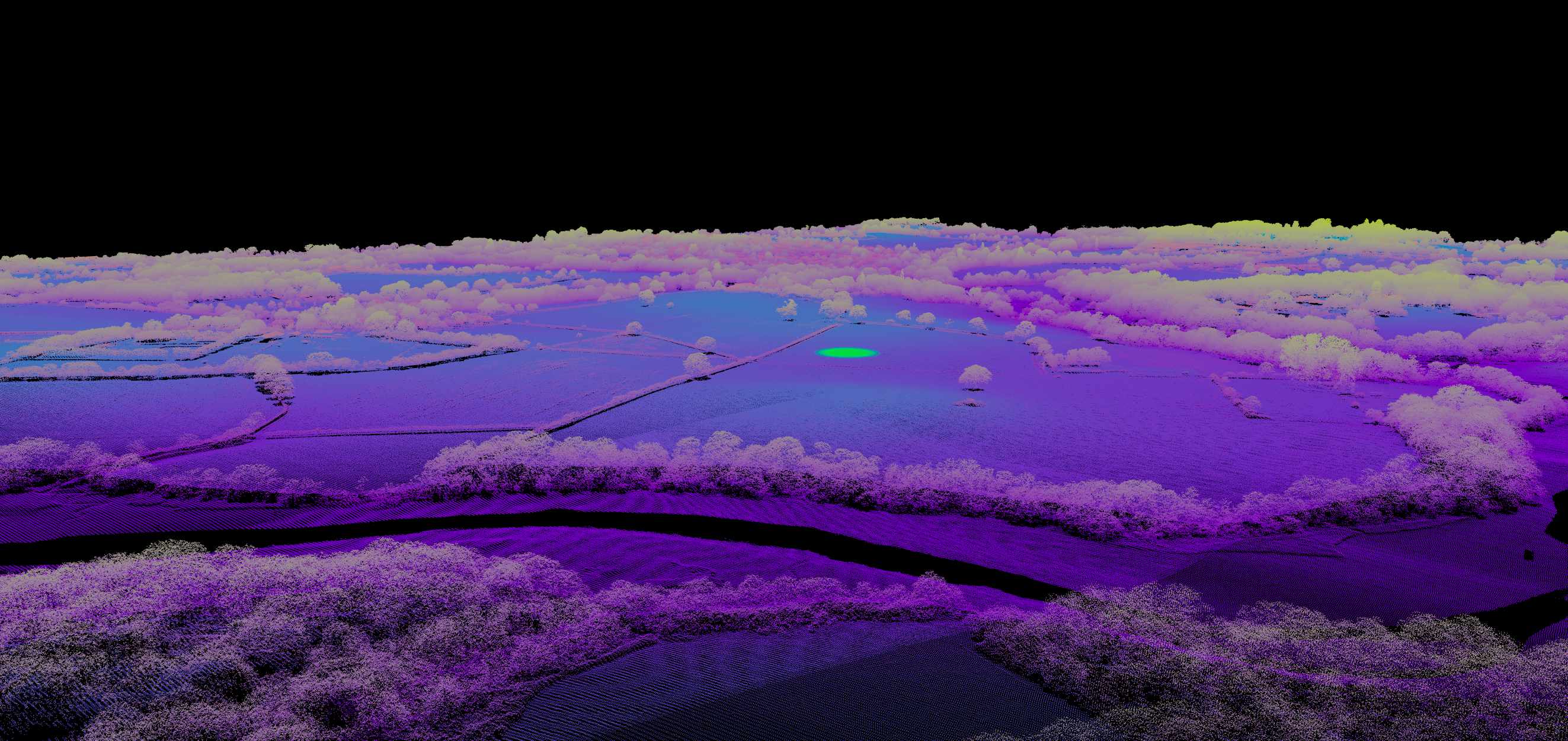
Terrain with Homepoint visualised.
Planning and Mission Design Tools
Terrain + Point of Interest visualization
POI and Homepoint visualization grounded in real elevation, so path decisions are made with real world geometry in mind. Isolate the area of your planned flight for maximum convenience.
Precision, real elevation, real space.
Clarity Mode
Optional LiDAR pointclouds visualization enhancements that improves local readability by linking nearby points with controlled distance and connection limits.
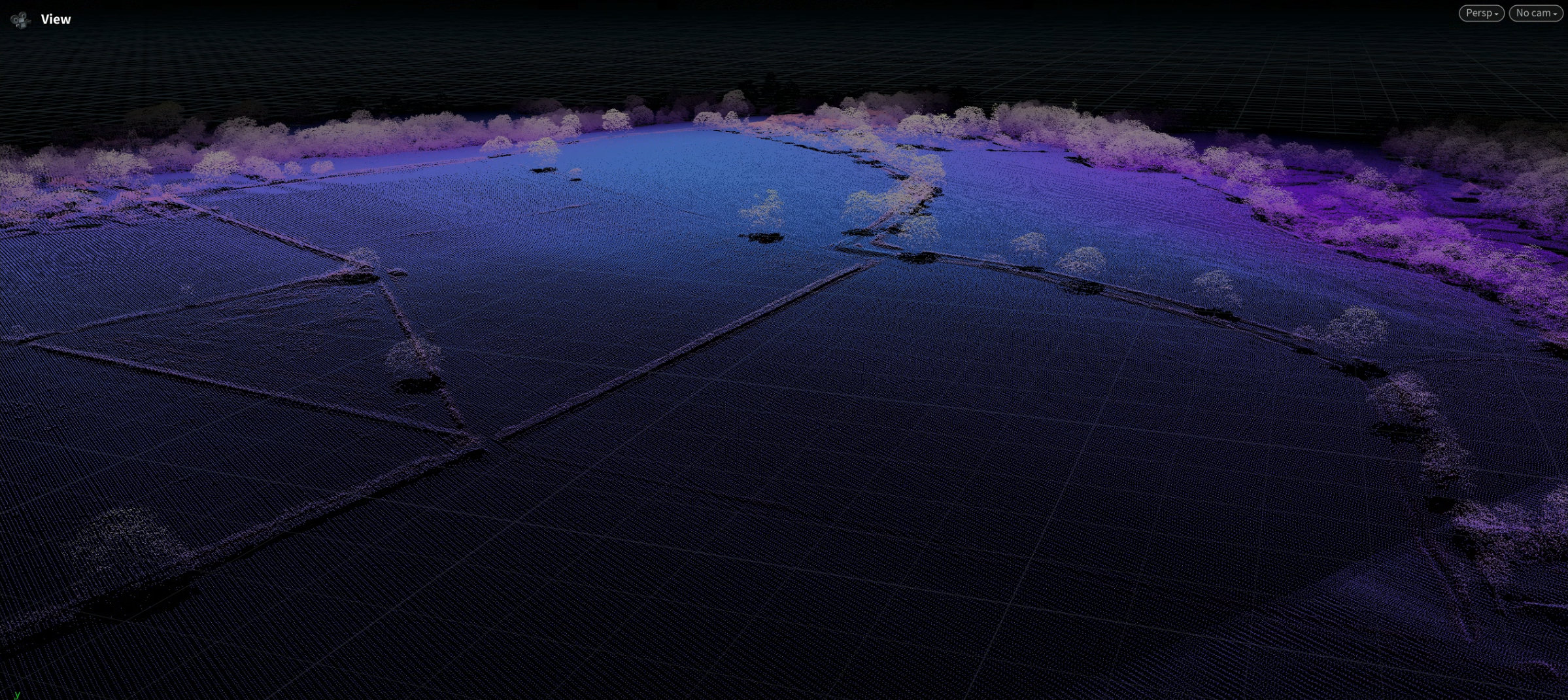
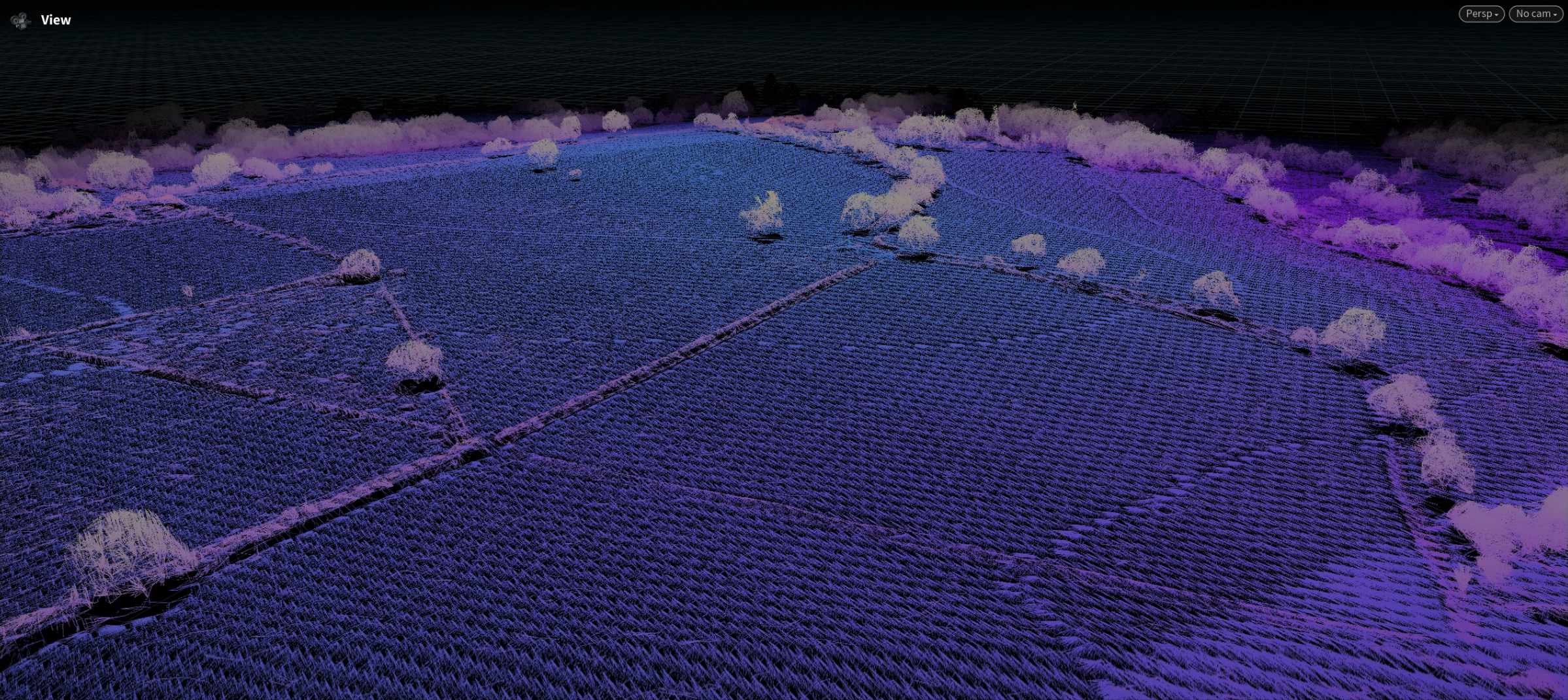

Datasets span multiple miles. From far away they look dense. Getting closer to your actual target inevitably makes the pointcloud sparse. So we introduced "clarity mode".
Multipath designer
Build and manage multiple capture paths per site, with each segment remaining editable as part of a wider mission strategy.Mission daisy-chaining: Combine multiple designed paths into one unified, executable mission—without losing structure or editability.

Several fly-arounds daisy-chained into single mission
Per-path Point of Interest
Point drones camera precisely where you want it.
Each path can point towards specific POI on the object. Please note, this isn't animation. Yet. It's per-path setting.
Validation, Simulation, and Diagnostics
Motion simulation + integrity checks
Preview mission motion in Houdini to verify continuity, camera behaviour, and transitions before export.
Drone-physics-style playback
Motion reproduction approximates real drone behaviour (excluding external factors like wind) to improve preflight confidence.
Mission building is that easy.
GPS precision error visualizer
Visual diagnostics for estimating and inspecting positional uncertainty during planning.

GPS Noise error threshold visualisation
Drone obstacle sensing visualisation
Flightpath will interactively warn you when your planned path is likely to trigger drones sensors and abort the mission. It is recommended to stay further away from triggering red paths (according to field tests).

Obstacle sensing & Height interactive warning
Coverage check
If you're planning a photography mission, it is a useful utility to check if you cover enough of your subject. When mission is packed with "Take Photo" as action, drone will stop at each waypoint to take a photo.

Coverage FoV check. FoV will change depending on the drone selected in presets.
Flight-time stats in Houdini
Built-in mission metrics estimating travel distance and approximate flight duration based on planned speed and path length.

Estimated distance and time necessary for the flight
Export and Deployment
DJI-compatible KMZ packing
Export missions as KMZ with configurable camera/mission action modes.
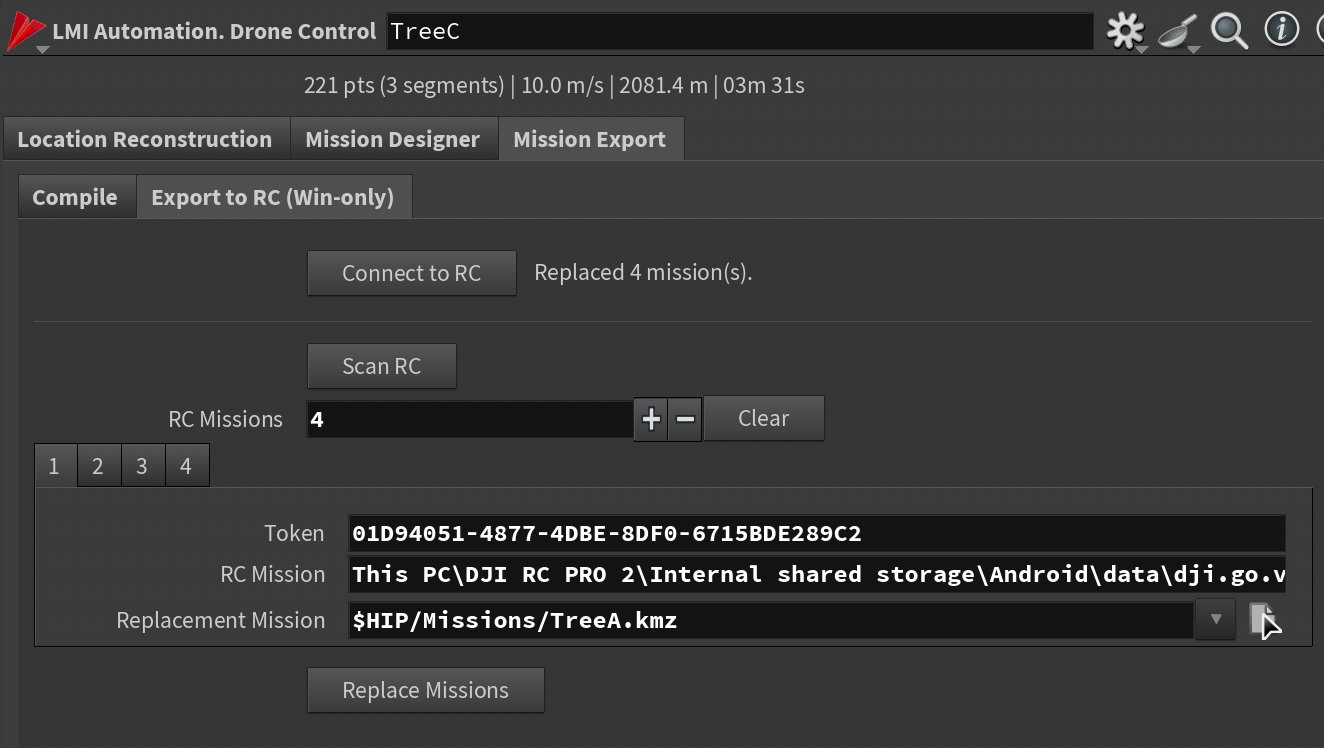
RC2 Pro direct mission updater (Windows)
Update missions directly on RC2 Pro without manual card-shuffling steps.
Licensing
Tools are provided under a worldwide, non-exclusive license for use in any production context. You may install and use the toolset for any lawful purpose, including commercial work, client deliveries, internal studio pipelines, and distributed production environments.
All software is provided “as is”, without warranty of any kind, to the maximum extent permitted by applicable law.
Digital purchases are final and non-refundable, except where a refund is required by applicable consumer protection law.