
The Reusable Arsenal
The power behind reusable libraries. Why they work, how, and how do they compare and interact with other industry standards.
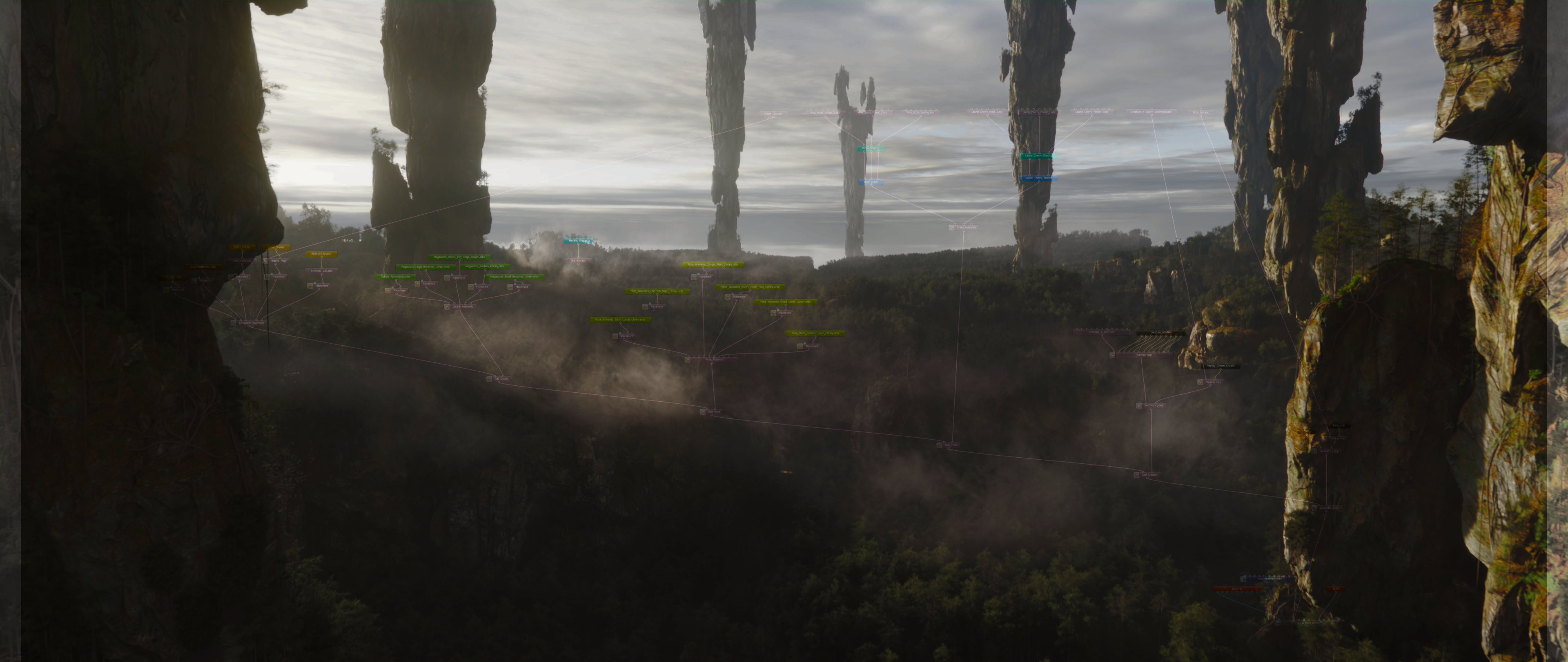

What are Octane libraries and what makes them special?
Libraries are pre-made, pre-textured, pre-shaded collections of assets ready to render out of the box.
Take Megascans as a great example. Yes, you can import them to many places with textures already connected, but rarely will they look as intended out of the box. You still have to do quite a lot of work on each Megascan before it looks as good as it should. You don't want to do this work repeatedly. So why not do it once and forget about it?
Our Megascans Octane-ready arsenal. Quite handy, isn't it?
That's exactly what libraries are for. You build them once. You reuse them forever. And the more you build, the faster you get with each project.
In Octane, you can store pretty much whatever you want: geometry with its shaders, just shaders, or even parts of setups - some fancy dirt overlays, for instance.
You can store your client's favorite shader sets and be sure that materials stay consistent from project to project. You can pre-make cinema-grade trees and use them in just a few clicks. Complex assets, fully looked-dev'd, ready to render out of the box.
What makes them special in comparison to USD?
Octane libraries are proprietary to Octane, but also support USD and MaterialX. So you can store USD within them, but you can't store Octane scenes in USD. Octane is a leading GPU spectral path-tracer with Render Network behind its back, so if you want to benefit from its ecosystem, you may want to consider building libraries in native formats, however, since USD is fully supported, you may just plug your existing USD Libraries into Standalone directly.
ORBX vs OCS
ORBX (comparable to USDZ)
ORBX is a packed container. It's self-sufficient: open it up, and everything is inside it. The file size will reflect that accordingly. The bigger your assets, the bigger the ORBX. And if you let automation take over (like a full scene bake into ORBX) - the size will inevitably, and unnecessarily, get blown up. We use ORBX only for final packing or to share singular unique assets.
OCS (comparable to USD)
OCS, on the other hand, is just a scene description with absolute file paths. This file doesn't get bigger when you add more assets, because it doesn't store them; it only references them and loads them into memory upon request.
For studios with shared environment, OCS is the obvious choice. You have a server with assets. You wouldn't want your team wasting space on duplicated data.
Instead, you keep repositories that everyone has access to. Assets stay on the server. The OCS files stay tiny. What makes OCS particularly powerful is that it's unencrypted (unlike USD). Closer in spirit to something like Clarisse iFX project files. You can open a project in a regular text editor and see exactly what's inside. For experienced users and TDs, this is another way of working with your scene entirely. In the unlikely event of a crash and corruption, you can go into the OCS, find the fault, and fix it. The project becomes practically indestructible.
And saving? Instant. Unlike working in Cinema 4D, where hitting Ctrl+S means waiting for all your gigabytes of data to be resaved, every single time, an OCS file saves immediately. It's not carrying the data with it.
Both formats have their place - now you know the difference between OCS, ORBX, USD, and you can decide which works best for you.
How to Structure Your Libraries
The way you build your libraries depends on whether you're making a single-asset library or a collection.
Take Megascan static rocks as an example. They all share a common shader, and you wouldn't want to store them as individual files. If you pack your master project into ORBX at the end (to use on the Render Network or share with colleagues), duplicated shaders will simply occupy more space. Every little counts when you're in pursuit of excellence.
Our tree libraries work like this: each tree species lives in its own library, shaders are shared across all variants, and the result is the most efficient and optimized library structure possible.
I want to make an Octane Library. Where do I start?
Start by deciding your approach.
What are you trying to save into a Library? I'll give you couple of practical examples.
Megascans
Megascans can be overwhelming due to the amount of options and variations we have at our disposal. Processing them can become a really long journey. We once been through "The Spiral" with Megascans for our Clarisse projects, and learned a trick or two to employ for Octane Assembly Pipeline.
It's better be a smart process. Luckily, we have couple of tools to offer and help you out.
In Houdini, we have LMI Octane Library Tool - It's made with Megascans in mind and it simply optimises and makes a perfect, Octane-compliant OCS libraries, pre-packed, organised, with all the textures. All you have to do is Quality Control the lookdev and the shaders, to ensure final Libs look exactly as intended.
Of course, if you're doing Layout & Set-Dressing work in Houdini, you've already imported these Megascans. Therefore, Library tool works with assets that are stored on the disk (External mode), as well as with the assets that's been already imported into Houdini (SOP mode).
If you're using one of our Set-Dressing Tools (LMI Scatter Tool or LMI Layout Tool), these are built with features to automatically re-build USD compliant networks in Solaris. And in Solaris you can use our legacy tool LMI OctaneShotManager to export individual assets and stitch them into singular ORBX Library. (No OCS support, hence the tool is "Legacy")
We are constantly working on our toolset and the pipeline.
The most relevant information about it can be found on this website, or in our Discord Community.
Trees & Unique Assets
We prefer to assemble these by hand. Unique, singular assets are self-explanatory, there's nothing to automate and it's the purest lookdev. And Trees, especially something as sophisticated as Speedtree Assets, are best controlled manually. Their shaders are often shared, no additional work there, but the shader assignments is why we prefer manual assembly. So with such assets - just export the geometry and textures manually, lookdev in Standalone once, store to reuse forever.




This research and the development of the Assembly Pipeline and its related tools were made possible through the support of Render Foundation.