
The Assembly Philosophy
Why assembling beats “doing everything inside a DCC” and why Octane Standalone is the core.
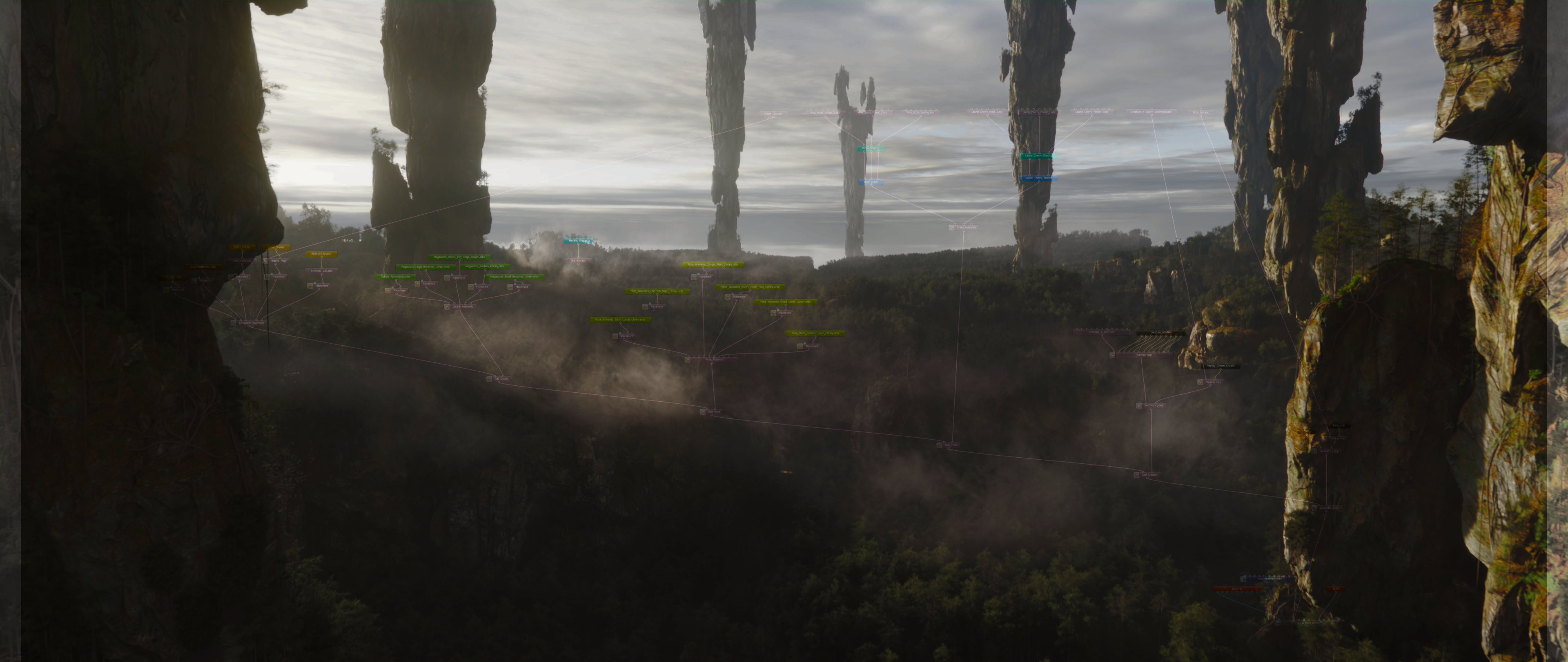

When ambition outgrows the software.
For years, my workflow looked the same: build everything inside one DCC. Model, animate, simulate in one place, and then render with an engine (Octane, Redshift, Renderman, Arnold, V-Ray, and so on). And along the way, you accept that a meaningful part of the process is spent troubleshooting and optimizing, figuring out why something crashes, doesn’t render, or slows to a crawl. My combo was Cinema 4D + Octane. As far as integrations go, it’s one of the best out there. Don’t get me wrong, I built my career on this setup. The speed and convenience are excellent. But in Cinema 4D, the complexity ceiling arrives much faster than ambition does. Once you reach that ceiling enough times, you have two choices: lower your ambitions, or change the way you build scenes. Rethink the whole approach.
I chose the second. I spent years learning the pipelines built specifically to solve “massive scene” problems: Clarisse iFX, Houdini, Katana, Solaris, and the robust CPU ecosystem around them. These tools are used by studios like WetaFX, ILM, DNEG, The Mill, and many others. The common thread between these companies isn’t just world-class imagery - it’s scale: environments that feel vast, and detail that holds up under extreme complexity. These production houses work by departments. Each department is best equipped in different software: animation in Maya, simulations and FX in Houdini, layout elsewhere - you get the idea. The real key is where and how they assemble final shots. For us, it was Clarisse. Later, when Clarisse was discontinued, we tried Katana with RenderMan and Arnold (it didn’t click), and settled on Houdini and Solaris. Any of these approaches can handle huge scenes with confidence, but they come with trade-offs: long renders, high costs, and a workflow that can feel heavier than the fast, high-frequency iteration many of us associate with Octane. And I missed that. So much that I initiated a collaboration with OTOY and the Render Foundation to see if we could do something about it.
The turning point came from a conversation with Jules Urbach about Octane Standalone - not the DCC plugins, but the core application that many people overlook. That conversation reframed the whole problem: I had been trying to solve the wrong thing. I should’ve recognized earlier what Standalone really is. And to my surprise, Standalone is an assembler by design. (More on the history in the “Why Octane” article.)
So, after a lengthy journey, we arrived at a revelation about Octane’s true nature. We were using it the wrong way. When you use Octane through a DCC, you’re using an integration layer - one that constantly needs to translate, bake, and convert data under the hood. Move a model - wait. Change a shader - wait. The more complex your scene gets, the more pronounced this becomes. The solution is obvious: remove the bottleneck and use the core directly.
The most scalable way to use Octane is also the most underused one.
So what do you mean... assemble?
I’ll do my best to explain this philosophy. The logic applies to any assembler mentioned in this article, but I’ll use Octane Standalone throughout - because it’s a genuine passion of mine, I have strong arguments in its favor, and my business is built around it.
The key shift is simple: in an assembler, you don’t store your scene data - you reference it. That means your elements need to be saved/baked first. For example: you animate a car in Blender. Instead of rendering it inside Blender like you’re used to, you export it as Alembic or USD. Then you bring it into Standalone, do your lookdev, shading, and lighting, and treat that Standalone Scene as a centerpiece of the project.
When I first switched to Clarisse, it was painful. It forced me to change habits. Why would I add an extra step? Baking and importing… what, for every element?
Yes. Because that’s where the scaling starts.
The moment you export elements as self-contained assets, you split the load. You protect your project. You preserve your lookdev. You use hardware resource where and when it's needed. Not "all at once", like you've been doing all your career. And you keep each stage of production fast, stable, and reliable. Lookdev becomes extremely responsive (it’s the Octane core), and animation stays fast because your Blender scene isn’t polluted with lighting, shading networks, scattering systems, massive environments, and everything else.
Now you can keep animating the car, or replace the animation entirely, simply by updating the exported file. It updates in Octane Standalone while preserving all the work you’ve already done around it. Same materials. Same lighting. Same layout. You follow me?
And here’s the part that becomes more obvious the bigger the project gets: the more elements you add to your master assembly (road, trees, buildings, traffic, whatever), the more you appreciate how fast everything still is. The project still loads, saves, iterates and renders very fast. The limits I described at the beginning of this article start to fade away.
And on top of that, you’re doing it in Octane - a spectral path tracer, and in my humble opinion one of the best-looking render engines out there. That’s the assembly process - hopefully explained clearly.
And what about environments?
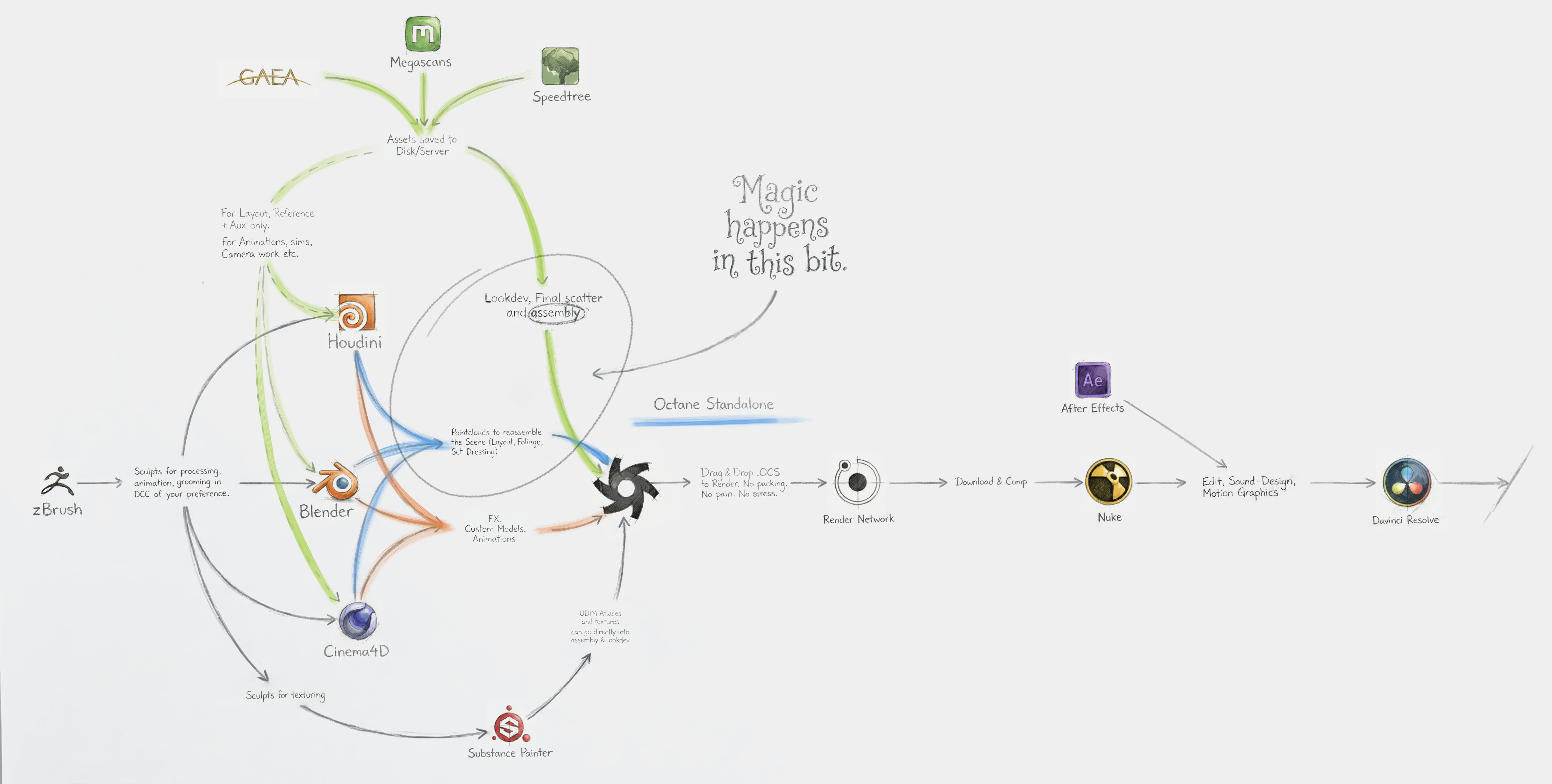
Well - thank you for asking. The car example sits in the “FX / Custom Models / Animations” category on the Pipeline Schema above. These are usually project-specific assets: you build them for this film, this shot, this client.
Environments are where this pipeline gets even more exciting, because everything you use in your layout and set-dressing tasks (cliffs, rocks, trees, buildings, road signs etc.) are not just assets - once you made them, they’re reusable assets.
You’re already baking elements, right? You’re already doing lookdev in Standalone, right? That means you can start building libraries that carry forward: fully lookdev’d, stable, predictable, fast to load, and unlikely to break. The same “split the load” philosophy applies, but now it compounds over time, because every environment piece you build becomes part of your long-term arsenal. This methodology sits in the "Magic happens in this bit" section of the schema.
I prefer to shade and lookdev in Standalone with Octane native shaders, however, if you're into Solaris and USD - that's fully supported too, including MtlX. More details in "The Reusable Arsenal" article.
Example of how libraries in the scene can look like:

Got the libraries. What's next?
Now, my craft-elevating friend, is the most interesting part.
You have your world already defined in those libraries above. Now we need a way to place the elements into their places in the world.
Any geometry in you current DCC has a XYZ point representation in space. Null, Joint, Primitive, Scatterer, Cloner, Instancer - all stored as points. Points are perfect set of instructions. How many trees you want, where, their size, how are they rotated, where do they lean, do their color vary from point to point?
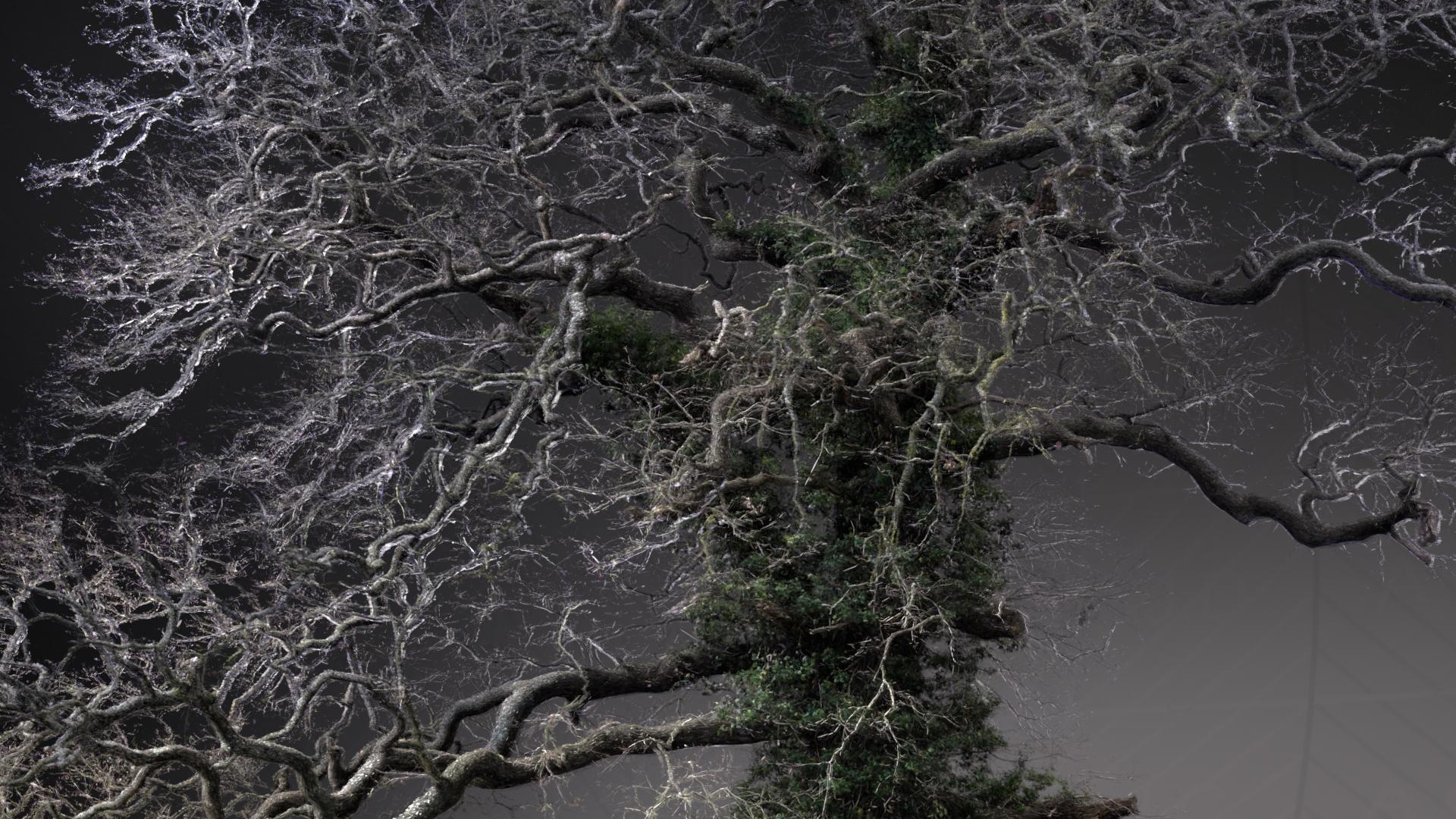
We built a set of tools to keep the pipeline flexible. One of them is LMI Pointbaker (available for Houdini, Cinema 4D, and Blender).
Pointbaker takes any point cloud (scatter systems, cloners, instancers, sim particles, you name it) and converts it into an Octane-compliant scatter ready for Octane Standalone. Drag and drop octane-ready.
From there, you simply connect your asset libraries to the scatter node’s inputs.
The key advantage: once the scatter file is baked, you can update it anytime, and those changes propagate in Standalone, without rebaking geometry, without waiting, and without dragging heavy scene data around. Everything stays lightweight and resource-managed, so the workflow remains fast, stable, and highly efficient.
More details on the pointclouds approach - in "The Boundless Flow" article.
Points can assemble major part of your scene. Even animations.
Set-dressing scatters are the most conventional use cases for points. Convenient and powerful. But that's absolutely not the end of the use cases for points. What else can we drive with this?
Layouts
Might seem minor, but when working on a massive landscape, you may want to opt for this method, to cut processing costs. Same principle, we save our Megascans as library (Singulars or Collection). After layout work is done, we export it as points. Connect in Standalone and perfectly optimised clone of your layout is rendering on GPU for a fraction of resource-cost.
Simulations
Simulations that require set of instances (pebbles, rocks for example). "The Rings of Power" Titles sequence! Any mograph type of simulation, RBD, that kind of stuff.
Lights
We often animate secondary lights with scatter approach: light beams, projectors, accents, organic lights lurking in the shadows.
Even hero animations
Rigid-body elements, spaceships, robots, rigged arms and structures, cars - all of this can be driven by points. In practice it means your modeling department can supply animation team with a proxy geometry; car body and wheels, for example. Animation department can carry out their work while model is being finished. Once model is done, just swap the geometry - animation is already there.And remember, your team can do all these different production disciplines in the software of their choice. Because of this, your team is software-agnostic. Let them shine where they're most comfortable! Work anywhere, assemble in one place.
"Meridian Forest" Scene Layout. Clean flow and pure Hierarchy.
Why Octane Standalone and not Katana or Solaris?
Katana
Katana would be closest competition here. It's a Standalone assembler, it's Hydra delegates (meaning you can use various engines like Arnold, Renderman etc.) and it's designed for powerful multi-shot workflows. Currently, Katana is leading the elite production pipelines.
The problem with Katana is it’s so alien that it can take months to get genuinely productive. It’s proprietary in how it thinks, how it flows, how it expects your facility to be structured. It’s designed for big cross-department collaboration - a Titanic of control. When we ran it, I wasn’t fond of the workflow, the pipeline culture around it, or the render stack we were using with it.
Solaris
Solaris, on the other hand, is dozens of times more agile and flexible. Easy to get up and running, same Hydra with delegates and it's within Houdini (which is a blessing and a curse). One of the delegates available in Solaris is Octane for Solaris and it's working wonders, not going to lie. The problem with Solaris is it's within Houdini itself. Meaning there's resource overhead by default. If we're taking Octane as an example delegate, then I sacrifice at least 5GB of VRAM just to Houdini. Top this up with the fact Octane for Solaris requires under-the-hood bridging to the core and you have a sub-optimal performance, lags and the complexity ceiling I start this article with.
So, Octane Standalone solves not only real, decoupled assembly problem for us, but offers superior rendering experience with spectral path tracing kernel. While all other engines started to introduce various XPUs only recently, Octane was GPU since its inception. Octane is a decade ahead in the game.
Yes, the UI/UX needs love. Yes, it’s been neglected. But the core is extremely competent and that core is what this pipeline is built around.
And it’s also how Render Network becomes far more interesting (we’ll go deeper on that in the “Decentralised Power” article): if your scenes are lightweight and reference-based, scaling your renders stops being a packing problem and becomes a straightforward handoff.




This research and the development of the Assembly Pipeline and its related tools were made possible through the support of Render Foundation.